Contact Us

Services

Related Posts

Categories

Your traffic dropped overnight, and the first question is always the same: did Google penalize the site, or did an update simply reshuffle the results? The answer decides everything that follows. A manual action needs a specific fix and a written review request. An algorithm update needs patience and better content. Mixing the two up is how businesses spend weeks fixing the wrong problem.

This guide shows how to tell them apart in about an hour, what to check first, and how Google penalty recovery works in each case. If you would rather hand the diagnosis to specialists, our Google penalty recovery services cover the audit and the clean-up from start to finish.

The Short Answer

There are two very different situations behind a ranking drop:

  • Manual action: A human reviewer at Google decided your site breaks a spam policy. You get a notice inside Search Console.
  • Algorithmic drop: Google’s automated systems re-evaluated your pages, usually during a named update. There is no notice and no “penalty” to lift.

Only the first one has a formal recovery process. The second one is fixed by improving the site and waiting for the systems to reassess it.

Step 1: Check the Manual Actions Report

Start here, because it takes two minutes and gives a definite answer. Open Search Console and look for Manual actions in the left menu. Google says that when a site has a manual action, some or all of that site will not be shown in search results, and that it notifies the site owner in the report and in the Search Console message center.

If the report says “No issues detected,” you are not dealing with a manual action. Skip ahead to Step 2. If it lists an issue, note three things before you touch anything:

  1. The exact action type (for example unnatural links, thin content, or site reputation abuse).
  2. Whether it affects the whole site or only a section or set of pages.
  3. The sample URLs Google shows as examples.

Step 2: Match the Drop Date to a Known Update

If there is no manual action, line up the date your traffic fell with Google’s own record of ranking updates. The Google Search Status Dashboard is the reference point. As of 14 November 2026, its 2026 ranking history shows:

  • February 2026 Discover update: started 5 February and ran for 21 days, 17 hours.
  • March 2026 spam update: started 24 March and ran for 19 hours, 30 minutes.
  • March 2026 core update: started 27 March and ran for 12 days, 4 hours.
  • May 2026 core update: started 21 May and ran for 11 days, 21 hours.
  • June 2026 spam update: started 24 June and ran for 2 days, 1 hour.
  • August 2026 spam update: started 18 August and ran for 2 days, 16 hours.
  • September 2026 spam update: started 24 September and ran for 13 days, 16 hours.
  • November 2026 core update: started 10 November and is still rolling out.

Use the start date as a guide, but remember that rankings keep moving through the whole rollout window. If your drop falls inside one of those windows, an algorithmic cause is far more likely than a penalty. We broke down the most recent spam update in our post on what happened in the September 2026 spam update, which is a useful read if your drop sits in that period.

Spam updates and core updates also behave differently. A spam update targets pages that break spam policies, so a drop there points to a policy problem. A core update is a broad reassessment of which content best satisfies searchers, so a drop there usually means competitors’ pages were judged more helpful, not that you did something wrong.

Step 3: Rule Out Technical Causes

Before blaming Google, rule out the boring explanations. These produce sudden drops that look exactly like penalties:

  • Indexing changes: a stray noindex tag, a changed canonical, or a robots.txt edit after a redesign or plugin update.
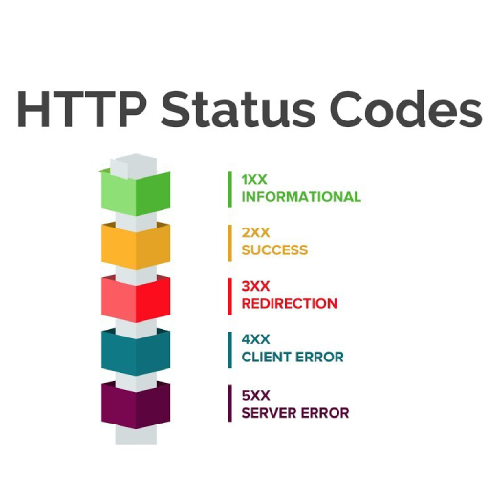
  • Server problems: repeated 5xx errors or long downtime that made Googlebot back off.
  • A migration gone wrong: missing redirects, changed URL structures, or a staging site that went live.
  • Tracking issues: a removed analytics tag can make a flat site look like it crashed.

Compare Search Console impressions with analytics sessions. If impressions are steady but sessions fell, the problem may be measurement. If both fell, check the Pages report for newly excluded URLs. For WordPress sites, a recent plugin or theme update is a frequent culprit, and our WordPress SEO services team starts audits with exactly this kind of check.

One more clue: a sudden sitewide fall on a single day points to a manual action, a technical fault or a spam update, while a gradual slide over several weeks fits a core update rollout. A drop confined to one folder or page type suggests a section-level problem such as thin pages.

Manual Action vs Algorithmic Drop at a Glance

Manual action: decided by a human reviewer, confirmed by a notice in the Manual actions report, and recovered by fixing the issue and requesting a review. Reviews take days to weeks.

Algorithmic drop: decided by automated systems, with no notice. You confirm it using the Search Status Dashboard and your own data, and you recover by improving the site and waiting for reassessment, often until a later update.

How Recovery Works for a Manual Action

A manual action is the clearer of the two problems because Google tells you what is wrong. The common types include unnatural links, thin content with little or no added value, scaled content abuse, expired domain abuse, site reputation abuse, hacked content, cloaking and sneaky redirects, and pure spam.

The process is the same across most of them:

  1. Understand the issue. Read Google’s description for that exact action type and review the sample URLs.
  2. Fix it everywhere, not just on the examples. The samples are a starting point. If the action is for thin content, audit the whole section. If it is for unnatural links, remove or disavow the pattern, not only the three links Google showed.
  3. Document the work. Keep a dated record of what was changed, removed or cleaned up, with spreadsheets or screenshots where useful.
  4. Request a review. Google tells site owners to select Request Review only once they are sure the site no longer violates its spam policies. Write the request plainly: what the problem was, what you fixed, and how you will prevent it recurring.
  5. Wait. Google states that reviews can take several days or weeks, and link-related requests can take longer.

Two details are worth knowing. For site reputation abuse, which means third-party content published to borrow your site’s ranking signals, Google’s guidance has been to move that content to a separate domain or remove it, and to avoid redirecting the old URLs to the new site. And if a request is rejected, the reply usually shows what remains, so treat it as feedback rather than a dead end.

How Recovery Works for an Algorithm Update

There is no form to submit here. Recovery means making the site genuinely better and giving Google time to see it. In practice that looks like this:

  • Audit the pages that lost the most traffic and compare them with what now ranks above them.
  • Improve depth, originality and usefulness. Merge or remove pages that repeat each other or add nothing.
  • Show real expertise with clear authorship, accurate sourcing and up-to-date information.

Timing matters. Google’s advice for core updates is to wait at least a full week after the rollout finishes, then compare Search Console data from that week with the week before the update began. The November 2026 core update started on 10 November and Google says it may take up to two weeks, so a fair comparison is not possible yet. Large changes mid-rollout only muddy the data. Some sites that lost ground in March reported only partial recovery after the May update, so recovery from a core update can span more than one cycle. If you are wondering how long improvements take to register in general, see our guide on how long SEO takes to show results.

Mistakes That Make Recovery Slower

  • Requesting a review too early. An incomplete clean-up leads to a rejection and a longer wait.
  • Disavowing links blindly. Remove or disavow the manipulative ones, but do not wipe out natural links that help you.
  • Changing everything at once. If titles, templates, links and content all change together, you will never know what helped.

When to Bring in Specialist Help

Outside help makes sense for unnatural-link actions that need years of link history audited, large sites with thousands of thin pages, hacked sites, or repeated rejected reviews. Our broader SEO services also cover the long-term content and technical work that keeps a recovered site stable. If you want a second opinion on your own data, contact the team with your Search Console findings and the date your traffic fell.

Frequently Asked Questions

Is a core update the same as a Google penalty?
No. A core update reassesses content across the web and is not aimed at punishing a site. A penalty, properly called a manual action, is applied by a human reviewer for breaking a spam policy.

Can I request a review after an algorithm update?
No. The Request Review button exists only inside a manual action. After an update, the fix is improving your pages.

How long does Google penalty recovery take?
For manual actions, Google says reviews take days to weeks, and the clean-up before that can take longer. For algorithmic drops, expect to wait for a later update to see the full effect of your changes.

Final Thoughts

Check the Manual Actions report first, match the drop to the update history, then rule out technical faults. That order gives you a reliable diagnosis before you spend money on fixes. A manual action calls for a documented clean-up and a review request. An algorithmic drop calls for better content and patience, especially while the November 2026 core update is still rolling out.

Property management cost per leadProperty Management Cost Per Lead: 2026 Benchmarks for U.S. Companies
White Label SEO for Agencies: What to Outsource and What to Keep In-House

Your traffic dropped overnight, and the first question is always the same: did Google penalize the site, or did an update simply reshuffle the results? The answer decides everything that follows. A manual action needs a specific fix and a written review request. An algorithm update needs patience and better content. Mixing the two up is how businesses spend weeks fixing the wrong problem.

This guide shows how to tell them apart in about an hour, what to check first, and how Google penalty recovery works in each case. If you would rather hand the diagnosis to specialists, our Google penalty recovery services cover the audit and the clean-up from start to finish.

The Short Answer

There are two very different situations behind a ranking drop:

  • Manual action: A human reviewer at Google decided your site breaks a spam policy. You get a notice inside Search Console.
  • Algorithmic drop: Google’s automated systems re-evaluated your pages, usually during a named update. There is no notice and no “penalty” to lift.

Only the first one has a formal recovery process. The second one is fixed by improving the site and waiting for the systems to reassess it.

Step 1: Check the Manual Actions Report

Start here, because it takes two minutes and gives a definite answer. Open Search Console and look for Manual actions in the left menu. Google says that when a site has a manual action, some or all of that site will not be shown in search results, and that it notifies the site owner in the report and in the Search Console message center.

If the report says “No issues detected,” you are not dealing with a manual action. Skip ahead to Step 2. If it lists an issue, note three things before you touch anything:

  1. The exact action type (for example unnatural links, thin content, or site reputation abuse).
  2. Whether it affects the whole site or only a section or set of pages.
  3. The sample URLs Google shows as examples.

Step 2: Match the Drop Date to a Known Update

If there is no manual action, line up the date your traffic fell with Google’s own record of ranking updates. The Google Search Status Dashboard is the reference point. As of 14 November 2026, its 2026 ranking history shows:

  • February 2026 Discover update: started 5 February and ran for 21 days, 17 hours.
  • March 2026 spam update: started 24 March and ran for 19 hours, 30 minutes.
  • March 2026 core update: started 27 March and ran for 12 days, 4 hours.
  • May 2026 core update: started 21 May and ran for 11 days, 21 hours.
  • June 2026 spam update: started 24 June and ran for 2 days, 1 hour.
  • August 2026 spam update: started 18 August and ran for 2 days, 16 hours.
  • September 2026 spam update: started 24 September and ran for 13 days, 16 hours.
  • November 2026 core update: started 10 November and is still rolling out.

Use the start date as a guide, but remember that rankings keep moving through the whole rollout window. If your drop falls inside one of those windows, an algorithmic cause is far more likely than a penalty. We broke down the most recent spam update in our post on what happened in the September 2026 spam update, which is a useful read if your drop sits in that period.

Spam updates and core updates also behave differently. A spam update targets pages that break spam policies, so a drop there points to a policy problem. A core update is a broad reassessment of which content best satisfies searchers, so a drop there usually means competitors’ pages were judged more helpful, not that you did something wrong.

Step 3: Rule Out Technical Causes

Before blaming Google, rule out the boring explanations. These produce sudden drops that look exactly like penalties:

  • Indexing changes: a stray noindex tag, a changed canonical, or a robots.txt edit after a redesign or plugin update.
  • Server problems: repeated 5xx errors or long downtime that made Googlebot back off.
  • A migration gone wrong: missing redirects, changed URL structures, or a staging site that went live.
  • Tracking issues: a removed analytics tag can make a flat site look like it crashed.

Compare Search Console impressions with analytics sessions. If impressions are steady but sessions fell, the problem may be measurement. If both fell, check the Pages report for newly excluded URLs. For WordPress sites, a recent plugin or theme update is a frequent culprit, and our WordPress SEO services team starts audits with exactly this kind of check.

One more clue: a sudden sitewide fall on a single day points to a manual action, a technical fault or a spam update, while a gradual slide over several weeks fits a core update rollout. A drop confined to one folder or page type suggests a section-level problem such as thin pages.

Manual Action vs Algorithmic Drop at a Glance

Manual action: decided by a human reviewer, confirmed by a notice in the Manual actions report, and recovered by fixing the issue and requesting a review. Reviews take days to weeks.

Algorithmic drop: decided by automated systems, with no notice. You confirm it using the Search Status Dashboard and your own data, and you recover by improving the site and waiting for reassessment, often until a later update.

How Recovery Works for a Manual Action

A manual action is the clearer of the two problems because Google tells you what is wrong. The common types include unnatural links, thin content with little or no added value, scaled content abuse, expired domain abuse, site reputation abuse, hacked content, cloaking and sneaky redirects, and pure spam.

The process is the same across most of them:

  1. Understand the issue. Read Google’s description for that exact action type and review the sample URLs.
  2. Fix it everywhere, not just on the examples. The samples are a starting point. If the action is for thin content, audit the whole section. If it is for unnatural links, remove or disavow the pattern, not only the three links Google showed.
  3. Document the work. Keep a dated record of what was changed, removed or cleaned up, with spreadsheets or screenshots where useful.
  4. Request a review. Google tells site owners to select Request Review only once they are sure the site no longer violates its spam policies. Write the request plainly: what the problem was, what you fixed, and how you will prevent it recurring.
  5. Wait. Google states that reviews can take several days or weeks, and link-related requests can take longer.

Two details are worth knowing. For site reputation abuse, which means third-party content published to borrow your site’s ranking signals, Google’s guidance has been to move that content to a separate domain or remove it, and to avoid redirecting the old URLs to the new site. And if a request is rejected, the reply usually shows what remains, so treat it as feedback rather than a dead end.

How Recovery Works for an Algorithm Update

There is no form to submit here. Recovery means making the site genuinely better and giving Google time to see it. In practice that looks like this:

  • Audit the pages that lost the most traffic and compare them with what now ranks above them.
  • Improve depth, originality and usefulness. Merge or remove pages that repeat each other or add nothing.
  • Show real expertise with clear authorship, accurate sourcing and up-to-date information.

Timing matters. Google’s advice for core updates is to wait at least a full week after the rollout finishes, then compare Search Console data from that week with the week before the update began. The November 2026 core update started on 10 November and Google says it may take up to two weeks, so a fair comparison is not possible yet. Large changes mid-rollout only muddy the data. Some sites that lost ground in March reported only partial recovery after the May update, so recovery from a core update can span more than one cycle. If you are wondering how long improvements take to register in general, see our guide on how long SEO takes to show results.

Mistakes That Make Recovery Slower

  • Requesting a review too early. An incomplete clean-up leads to a rejection and a longer wait.
  • Disavowing links blindly. Remove or disavow the manipulative ones, but do not wipe out natural links that help you.
  • Changing everything at once. If titles, templates, links and content all change together, you will never know what helped.

When to Bring in Specialist Help

Outside help makes sense for unnatural-link actions that need years of link history audited, large sites with thousands of thin pages, hacked sites, or repeated rejected reviews. Our broader SEO services also cover the long-term content and technical work that keeps a recovered site stable. If you want a second opinion on your own data, contact the team with your Search Console findings and the date your traffic fell.

Frequently Asked Questions

Is a core update the same as a Google penalty?
No. A core update reassesses content across the web and is not aimed at punishing a site. A penalty, properly called a manual action, is applied by a human reviewer for breaking a spam policy.

Can I request a review after an algorithm update?
No. The Request Review button exists only inside a manual action. After an update, the fix is improving your pages.

How long does Google penalty recovery take?
For manual actions, Google says reviews take days to weeks, and the clean-up before that can take longer. For algorithmic drops, expect to wait for a later update to see the full effect of your changes.

Final Thoughts

Check the Manual Actions report first, match the drop to the update history, then rule out technical faults. That order gives you a reliable diagnosis before you spend money on fixes. A manual action calls for a documented clean-up and a review request. An algorithmic drop calls for better content and patience, especially while the November 2026 core update is still rolling out.

Contact Us

Services

Related Posts

Category